
SOFTWARE
Getting Started On WiTech 2.0 & Stellantis (F.K.A. Tech Authority)
New to programming Stellantis-based vehicles? No worries, it doesn't have to be hard! We will learn how to create an account, get setup for the software, hardware compatibility and more!
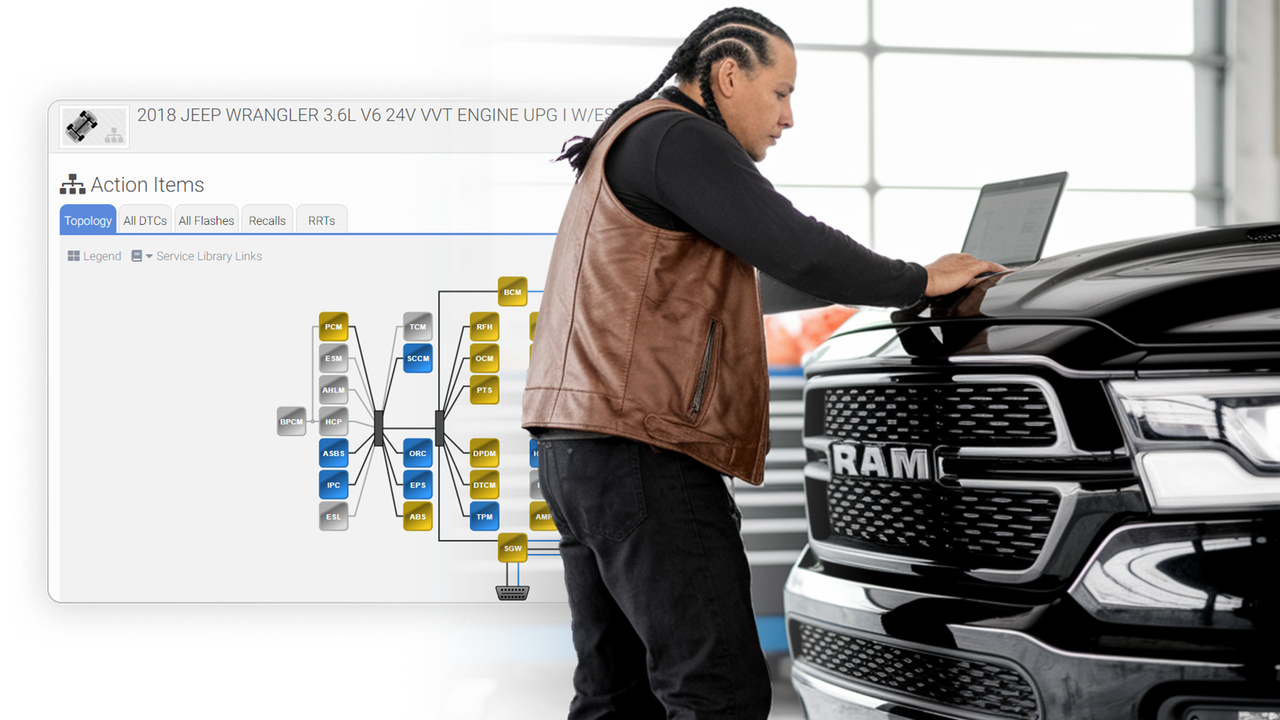
Image by AE Tools & Computers
🛞 WiTech 2.0 is the dedicated software to work on Stellantis-based vehicles, providing shops with OEM-level diagnostics.
🛞 Stellantis Independent Operator Portal is the new platform that has taken over the Tech Authority website.
🛞 There are 3 subscriptions to use Witech 2.0 and access Stellantis IOP (F.K.A. Tech Authority) and Flash Tokens for module re-flashing.
🛞 WiTech 2.0 allows for both aftermarket J2534 programmers and the OEM tool, Mopar Diagnostic Pod (MDP). Each have their own software.
Getting Registered For Witech 2.0 & Stellantis (Formerly Tech Authority)
Getting started with WiTech 2.0 can be challenging for new users entering the world of Stellantis vehicles. As one of the few platforms requiring multiple subscriptions to operate, we're here to help you navigate the WiTech 2.0 platform and get you up to speed.
Witech 2.0 Registration
When registering with Witech 2.0 through AE Tools & Computers, the process takes less than 10 minutes, and can be expedited with our support team. To avoid delays, we recommend creating a support ticket or calling our team before purchasing any Witech, Tech Authority, or Flash tokens, as our subscriptions are only compatible with our U.S.-based Mopar suite and will not work with accounts registered in MoparTSP.
Here are the steps to set up your Witech 2.0 account:
Create a Support Ticket: Provide your full name, shop name, tool serial number(s), and other necessary details to ensure your account is registered with the correct credentials.
Receive Activation Emails: You will get a secure email from OKTA with a link to build your account. Working with our support team is highly recommended to prevent errors and avoid delays.
Sign In: Once your account is set up, log in to verify everything is correct. After signing in, you are ready to use the software.
Stellantis Registration (Formerly Tech Authority)
If you were around when WiTech started or transitioned to WiTech 2.0, Tech Authority was your go-to resource for service information and other resources. Since the acquisition of FCA Chrysler by Stellantis, the process has changed slightly, but the core remains the same.
Here are the steps to set up your Stellantis account:
Register with Stellantis: Visit Stellantisiop.com to begin creating your account. A common mistake is using the old www.techauthority.com website instead of the current one.
Create your account: Once there, click "Register" on the left side of the page to create your account. Fill out the required information. Registration is free; however, a Tech Authority subscription is necessary to access all resources, including the Service Library.
NOTE: Please create your Stellantis account with the same email as your Witech 2.0 account. In order to activate your subscriptions and pair the service library actions from Witech 2.0, you will need to have the same email to do so.
BONUS: NASTF Credentials
Vehicles based on Stellantis or FIAT platforms manufactured after 2016 often have SKIM codes or Rolling PINs. To program security features such as key fobs, RFH, WCM, PCM, or TCM, you generally need NASTF (National Automotive Security Task Force) or Locksmith licensing to obtain the necessary PIN codes.
While most modules do not require NASTF, it becomes essential for certain cases. We offer NASTF support to help you register with NASTF easily, along with the NASTF AIR (Assisted Immobilizer Reprogramming) service, which provides your shop with NASTF access to the PINs within the Stellantis platform.
* The NASTF AIR Program only allows for PIN codes on modules only, not for key cutting or key codes to program any keys. If the repair process requires a PIN in order to complete the repair, we can supply the PIN codes needed if the user has signed up for a free account on NASTF.
Software & Subscriptions
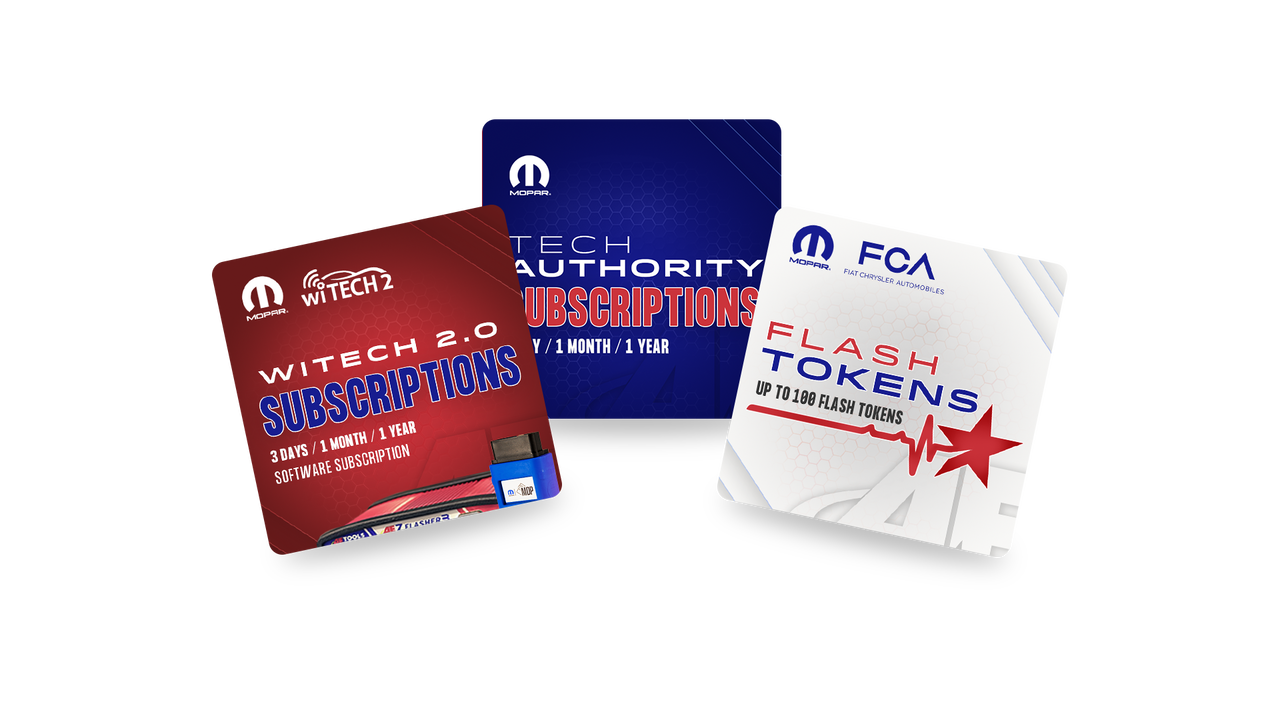
Image by AE Tools & Computers
In order to work on Stellantis vehicles, you will need the right software and subscriptions to begin your repairs. Starting with subscriptions, there are three main subscriptions you will need to get started:
Witech 2.0 Subscriptions
To work on Stellantis vehicles, you'll need the appropriate software and subscriptions to start your repairs. First, there are three essential subscriptions you'll need to get going:
Tech Authority Subscriptions
As the name suggests, Tech Authority allows you to make changes, clear codes, update, calibrate, and do almost everything on the vehicle. Without it, you can only view the information as it is and cannot follow any procedures. With Tech Authority, you can access their dealer-level service library, which hosts everything from wiring diagrams, part numbers, procedures, key immobilizer codes, and more! We recommend exploring the Stellantis IOP (Independent Operator Portal) page as much as possible to get the most out of your subscription.
This subscription comes in 3-day, monthly, and annual options. Depending on your repair history, you should make sure you have enough overhead.
FCA Flash Tokens
Flash tokens are the only subscriptions that do not count down the days. They can be used once per vehicle for module updates and are valid for a year when used. If you plan to update a module, you'll need a token to get the job done. If you don’t end up using the token, it will remain on your account until you do. You won’t need this if you plan to perform any immobilizer or key programming.
This subscription allows you to purchase as many tokens as you need.
Software Type: J2534 App vs OEM Cloud-Based Platform
Depending on the hardware you choose to use, you will need the correct software platform to ensure everything works properly.
MDP (Mopar Diagnostic Pod)/ WSP OEM VCI: If you are using a Micropod with the serial number MDP/WSP-XXXXX, you will need to access the website app through fcawitech.okta.com.
Mopar VCI Utility: When paired with your Micropod, ensure that your tool is updated and can connect to Wi-Fi. The Mopar VCI Utility app allows you to configure, update, restore, and connect to vehicles via a wired connection. If you do not have this app, please create a ticket for our team to install it and guide you through the program.
WiTech 2.0 J2534 App: If you are using a J2534 tool, such as our AEZ Flasher 3 or a 3rd generation and newer J2534 programmer, you will need to use the WiTech 2.0 J2534 Application. Our team can assist you in adding the correct application to your device. Note that a computer setup is necessary for the software to function properly. We recommend creating a ticket to ensure your software is working as it should.
DRB III Emulator: For vehicles that require the DRB3 tool (typically models from before 2006), you will need the DRB III emulator software and hardware. Since the original DRBIII tool is no longer available as part of the Tech Tools platform, the DRBIII Emulator software and hardware are the best alternatives.
Contact our team if you are interested in this tool and its capabilities.
BONUS- Chrysler J2534 Application: Within the WiTech 2.0 J2534 software, there is an additional application called the Chrysler J2534 Application. This app functions similarly to the DRBIII emulator, allowing you to work on older models. However, it is limited and does not perform diagnostics or in-depth programming. It can program TCMs and PCMs on older models with the correct flash files obtained through Tech Authority/Stellantis.
If you are interested in this application and how it works, our team can help you learn the software. Set up a time with our team here at support.aetools.us
Hardware Compatibilites
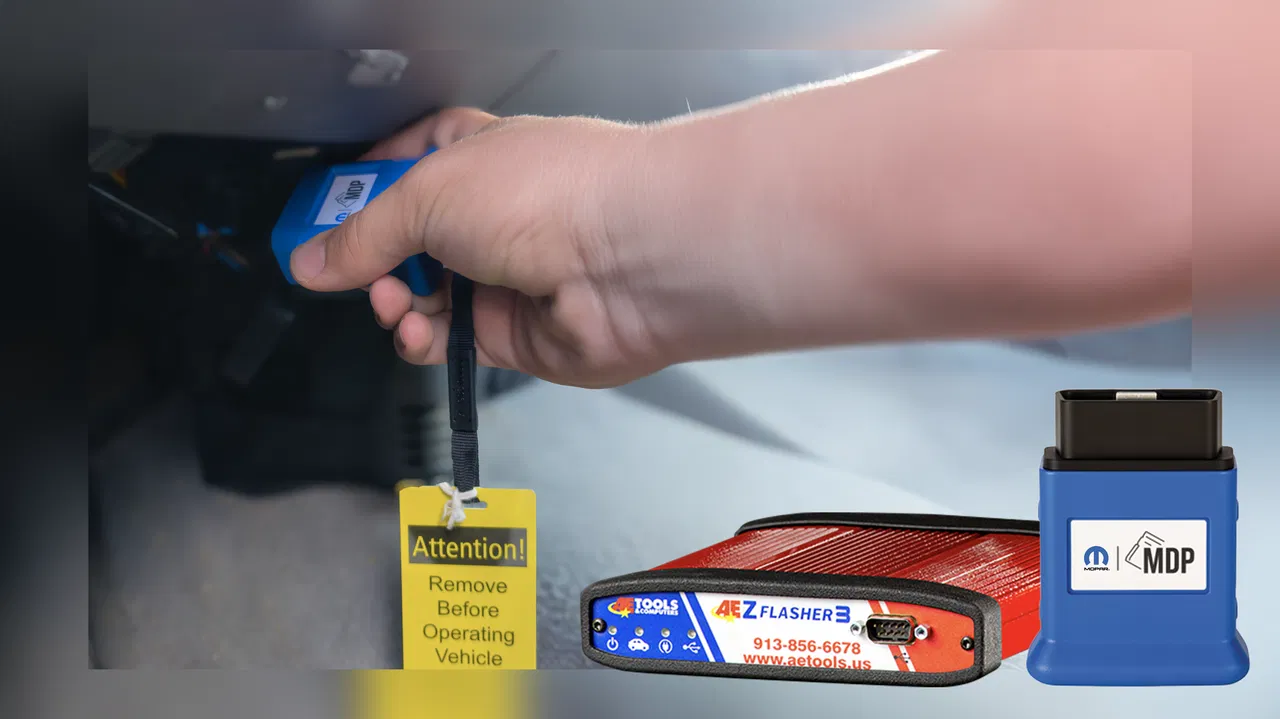
Image by AE Tools & Computers
Now that you are familiar with the software and subscriptions available for WiTech, let’s explore the hardware options that can help you complete your setup.
OEM Solution: Mopar Diagnostic Pod (MDP)
If you're looking for a fully OEM experience, consider the Mopar Diagnostic Pod (MDP) as your primary tool for Stellantis-based vehicles. The MDP operates both wirelessly and via a wired connection, with the wireless option being the preferred method. However, we recommend using a wired connection during test drives for data collection or when performing procedures like TCM updates or replacements.
The latest version of the MDP boasts a powerful and stable connection to your network and the vehicle, while also ensuring backward compatibility with older models and newer cars in the future. In fact, the MDP is often the only tool capable of programming newer vehicles, such as the 2020 Grand Cherokee L (Wide body) and the 2020 Grand Wagoneer, which are incompatible with the WSP MicroPod models.
We've recently observed that vehicles from 2024 onward favor the MDP over older MicroPod models and even some J2534 tools. Keep this in mind as newer models emerge to avoid limitations or obstacles in your repair capabilities.
Aftermarket Solution: J2534 Programmers
The ability to be versatile and repair as many vehicles as possible through a single pass-thru is an efficient way to keep your shop busy and ensure jobs are completed without barriers. WiTech 2.0 is one of the more user-friendly platforms that allows full functionality with J2534 programmers, such as our AEZ Flasher 3.
J2534 programmers must utilize the desktop application “WiTech 2.0 J2534” to begin programming. However, the process from signing in to working on the vehicle in WiTech remains consistent with the OEM platform, just with a wired connection. The WiTech 2.0 J2435 application supports a wide range of J2534 tools, but we recommend using 3rd generation or newer pass-thrus that have the correct protocols to function properly.
Subscriptions for J2534 hardware are the same, but you will need a 25-digit serial number to register your subscriptions. You can find this serial number through the software by navigating to the “Help > About” tab in the top left corner of the WiTech 2.0 J2534 app.
Which is the better hardware?
WiTech 2.0 is a more accessible platform than others, but there are some limitations when working with aftermarket hardware. While there are no significant disadvantages, here are a few key considerations:
🔌 Wireless capabilities: If you prefer a wireless and cord-free setup, this may be a feature worth considering. While it doesn’t necessarily speed up programming, it offers convenience whether you’re close to or further away from the vehicle.
🤖 Future-Proof: We’ve noticed that newer vehicles increasingly require updated hardware, such as the MDP and newer J2534 programmers. Keep this in mind if you're working on or planning to service newer Stellantis vehicles.
📱 Device free capabilities: Many shops utilize multiple devices to service vehicles—some use laptops for specific makes, while others rely on tablets or mobile devices. If you value having flexibility with devices like tablets or phones, consider the cloud-based web app that comes with the MDP. The J2534 application operates on the unique device serial code of your laptop or desktop, meaning you’ll be tied to that specific device.
The J2534 application works off your laptop/desktop's device serial code unique to that device—meaning you are bound to that device.
You can switch your J2534 platform to another device, but the software requires Windows 11 Pro or a newer operating system. You will also need to register the new 25-digit serial number to apply subscriptions to your account.
If you have annual subscriptions, you’ll need to transfer them to the new device, which can add time to your workflow.
⬇️ Software Issues: As we’ve observed, the MDP and WiTech 2.0 cloud app rely on Mopar servers. If there are software issues, they are likely server-side. With the J2534 app, you might experience updates not functioning or needing patches to accommodate changes—requiring you to wait for the next update to ensure compatibility with certain vehicles. Fortunately, turnaround times for these issues are typically no longer than a day, but you remain at the mercy of the developers and their agreements with the manufacturer.
Be aware that some devices, like the MaxiFlash VCIs from AUTEL or other scan tools, may not work with the J2534 app. While your experience with various J2534 alternatives may vary, we recommend opting for mainstream J2534 programmers over scan tool VCIs.
Ready to start using WiTech 2.0?
It may seem overwhelming at first, but the process is quite straightforward and becomes even easier once you start using the platform. To help simplify your experience with WiTech 2.0, we've created a flowchart that outlines the process clearly.
As you explore the capabilities of WiTech 2.0 and the associated hardware and subscriptions, remember that staying informed about the tools and their requirements will enhance your efficiency in servicing Stellantis vehicles. With the right setup and resources, you’ll be well-equipped to tackle any repair or diagnostic challenge that comes your way.
Our support team is fully equipped to help you get started with ease and ensure you are able to pick up your tools and start working. Create a support ticket today at support.aetools.us or call our front office at (913) 856-6678 EXT: 3.
If you are interested in a demo or more content about WT2, feel free to comment below! Happy diag'ing!
Article needs updating?
We strive for accuracy and ensure our information is transparent, clear, and up to our standards. Please let us know if you have any updates or edits, suggest changes, or find something incorrect on our form here.
Form submissions are totally anonymous unless the submitter would like to be addressed.
Tags
witech 2.0
tech authority
oem diagnostics
fca flash tokens
stellantis
key codes
VSP
mopar diagnostic pod
technical support
aet news
texa
bosch
ezds
triton
diagnostic tools
key machines
2025
Items Mentioned
Learn more about the items, collections, brands mentioned in this blog.
Related Articles
Catch up on the latest articles before you're too late!